


|
Name |
0Ground |
|---|---|
|
Google Play Link |
GET IT ON
Google Play
|
|
Category |
Personalization |
|
Developer |
coccco28 |
| Last version | 8.5 |
|
Updated |
|
|
Compatible with |
Android 6.0+ |
Introduction to 0Ground APK
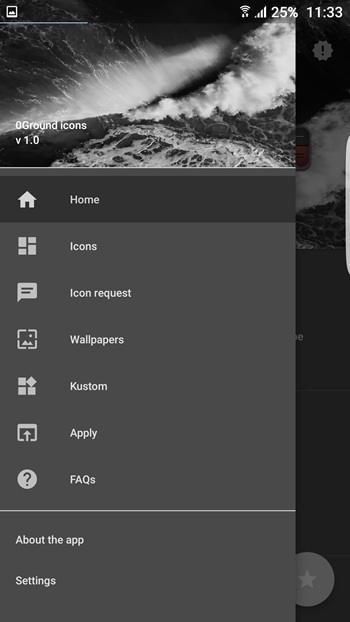
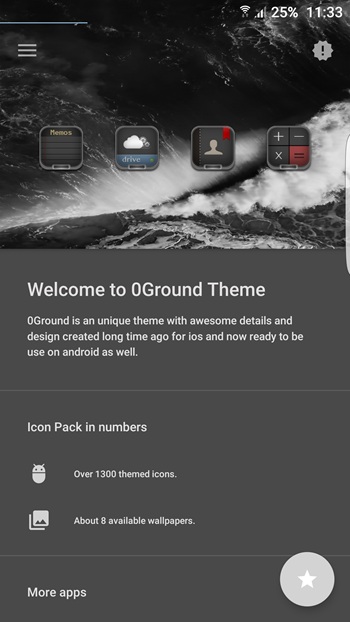
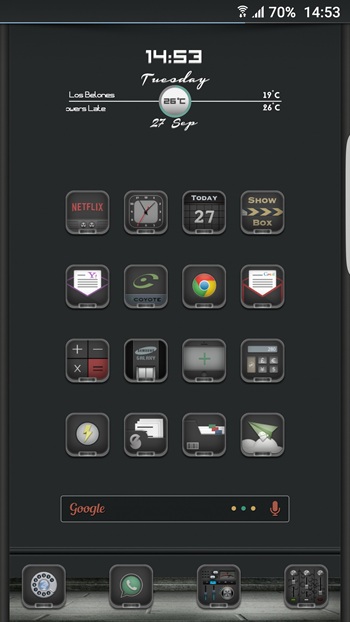
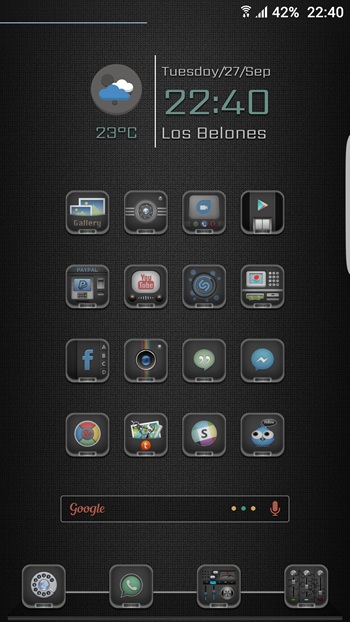
0Ground APK is a customization app built for Android users who want a darker, more polished home screen. It focuses on icon design, with a large pack of hand-made icons, wallpapers, folders, docks, and a few extras for Kustom users. The whole style leans clean, colorful, and slightly moody, so phones look more personal without turning into a messy theme experiment.
Its main job is simple. It changes the look of app icons across your launcher and helps create a more consistent visual setup. The pack includes more than 2,200 icons, cloud wallpapers, folder icons, and dock options, so users can shape a full home screen instead of changing one small part. There is also a smart icon request tool, which matters when one of your installed apps still shows the default icon and ruins the vibe.
The app is most useful for people who already like Android customization and use supported launchers such as Nova, Apex, ADW, Smart, or TSF. It also includes widgets, live wallpaper content, and a lock screen add-on for people who use Kustom tools. That gives 0Ground a wider role than a standard icon pack, since it can help build a more complete setup across several parts of the phone.
One of its biggest strengths is the visual consistency. The icons were designed in vector format and sized for sharp display, so they aim to look crisp and unified instead of random. Frequent updates also help, because icon packs can feel outdated fast when new apps appear. For users who care about details, the manual design work is a big plus. It saves time compared with mixing several packs that never quite match.
There are a few limits to know before installing it. 0Ground works properly only with supported launchers, so stock launchers may not give the full result. Some bonus content also needs Kustom Widget Pro, which adds another app requirement. Dynamic calendar support was still listed as work in progress, and icon requests come with conditions tied to purchase proof, sales periods, and donation rules. That setup may feel a bit strict for users who expect a fully open request system.
0Ground suits people who like tweaking every part of their phone and want a dark icon style that feels coordinated from top to bottom. It is less suited for anyone who wants a one-tap theme with zero setup. If you already use a compatible launcher and care about home screen design, it can be a fun way to make your device look cleaner, sharper, and a little less like everyone else’s.
FAQs 0Ground
What is 0Ground APK?
+
0Ground APK is an Android customization app that gives users a dark-themed icon pack, wallpapers, folders, docks, and extra design tools for supported launchers.
What is 0Ground used for?
+
It is used to change the look of your home screen by replacing default app icons and adding matching visual elements such as wallpapers and folders.
How many icons does 0Ground include?
+
The pack includes more than 2,200 premium icons, with updates released over time to cover more apps and keep the design fresh.
Does 0Ground work on every Android launcher?
+
No. It works with many major launchers, but not every stock launcher is supported, so users need a compatible launcher for full use.
Who should use 0Ground APK?
+
It is a good fit for Android users who like home screen customization, use supported launchers, and want a darker icon style with a more organized look.
Discover More Interesting Apps
-

Rustic
v7.7
78 MB
Updated -
iGlass OS Colors
v7.2
0
Updated -
Pika! Super Wallpaper
v1.8.9
184.58 Mb
Updated -
Mod
Sticlo Icons
v2.7
25 MB
Updated -
Mod
Screen Color Filter
v6.16.3
23.51 Mb
Updated -
Mod
Smart Launcher 6
v6.6 build 025
23.32 Mb
Updated -
Icon Pack Studio
v2.5 build 003
55.87 Mb
Updated -
Smart Launcher Pro
v6.6 build 025
17.45 Mb
Updated -
Lines Dark Pro
v3.9.10
58.00 Mb
Updated -
Mod
WallGenius
v5.0.7
3.00 Mb
Updated










Share Your Thoughts